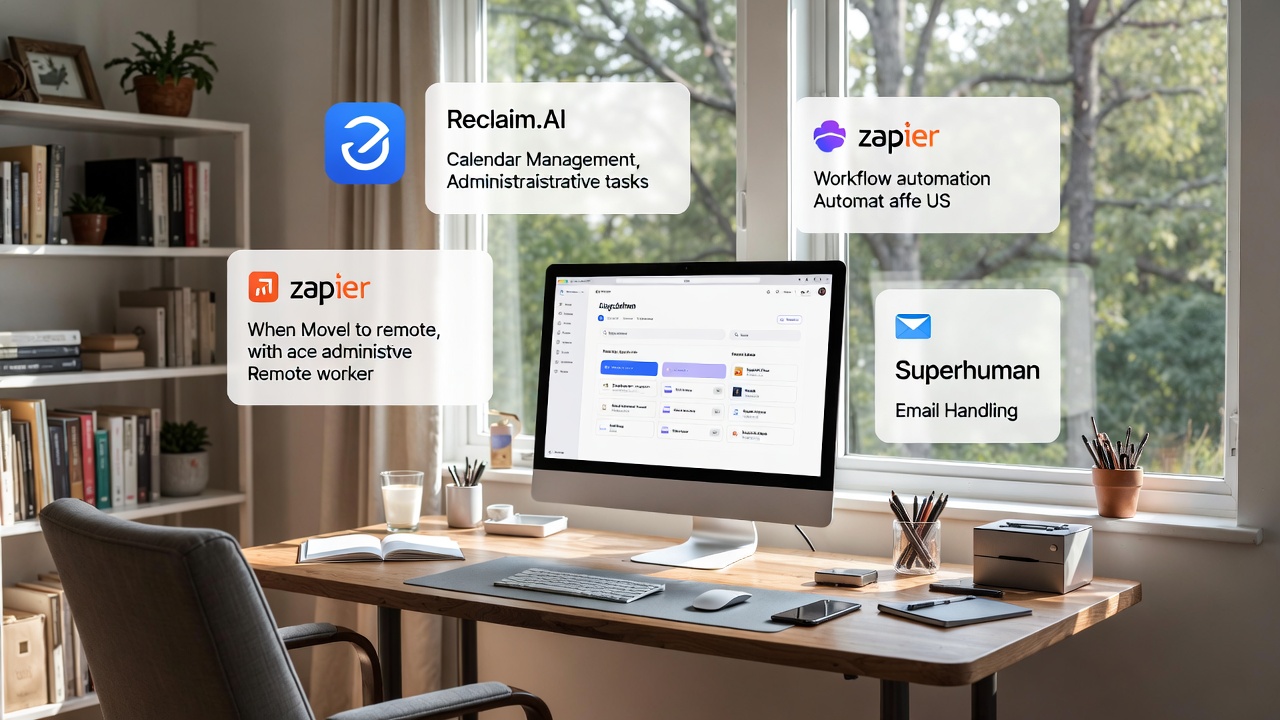
Ever wish you had a magically efficient personal assistant, a “silent butler” who could handle all your digital drudgery without you lifting a finger or paying a hefty salary? Imagine offloading those two-plus hours a day spent wrestling with calendar coordination across EST and PST, triaging a relentless inbox, or painstakingly organizing digital files.
Picture this: Instead of drowning in admin tasks, you’re diving deep into a crucial project, connecting with clients, or even sneaking in a lunchtime hike at a beautiful state park near you. Good news, efficiency addicts! This isn’t just a fantasy. With the right AI and smart automation tools, your silent butler is ready to serve.
The Hidden Time-Sink of Remote Admin
For remote workers, the lines between productive work and administrative busywork can blur. We’re often juggling emails, scheduling meetings, updating spreadsheets, and organizing documents, all while trying to maintain focus on our core responsibilities. This “digital paper pushing” can be a massive drain on your most valuable resource: your time and energy.
According to Azumo, AI is already saving workers an average of 3.5 hours per week by automating tasks like calendar management, spreadsheet organization, and data input. Think about that: nearly half a workday, reclaimed! Yet, many organizations are still in the early “evaluation or pilot stages” of truly leveraging AI for these tasks, as Index.dev points out. This creates a huge opportunity for individual remote workers like us to get ahead and implement these efficiencies ourselves, right now.
The core philosophy of EfficiencyAddict.com is about maximizing output (results, time, joy) while minimizing input (time, money, effort). And nothing screams “inefficient input” like spending precious hours on repetitive administrative tasks that a smart tool could handle.
So, let’s talk about building your own digital dream team.
Your Silent Butler’s Core Competencies: Where AI Shines
Here’s how AI and automation can tackle your biggest admin headaches, allowing you to focus on high-value work and, well, your life!
1. The Zen of Zero-Effort Calendar Coordination
Ah, the calendar. The digital battleground of time zones, conflicting schedules, and the dreaded “how about Tuesday at 2 PM PST, no wait, my 2 PM PST is your 5 PM EST, is that okay?” email chain. This is where AI truly earns its keep.
The Problem: Manual scheduling is a notorious time-waster. Shyft’s research shows that schedule creation can be the single largest time commitment in admin, often taking “hours” that AI can reduce to “minutes.”
Your Silent Butler’s Solution: Intelligent scheduling assistants.
Tools to Consider:
- Reclaim.AI: This tool is a favorite among efficiency gurus because it doesn’t just find a slot; it protects your focus time. Reclaim.AI automates task and meeting scheduling, syncs with your calendars (Google Calendar, Outlook), and dynamically adjusts time blocks based on your priorities. Need to get that report done? Reclaim will find and block out deep work time, even if it has to shift a non-essential meeting. It’s like having a project manager and personal assistant rolled into one.
- SkedPal: If you’re a fan of time blocking and want to group tasks by cognitive impact or topic without manual meddling, SkedPal is fantastic. It integrates seamlessly with Zapier, allowing you to automate tasks around scheduling. For example, you can set up a Zap (an automated workflow) to turn new starred Gmail messages into tasks in SkedPal. Genius!
- Calendly / Acuity Scheduling: While not strictly “AI-powered” in the same way Reclaim or SkedPal are, these tools are foundational for eliminating the back-and-forth of external meeting invites. They integrate with your calendar, show your availability, and let others book time directly. They’re excellent “pre-AI” building blocks for any efficient scheduler.
Workflow Example:
Imagine a client in California (PST) needs to connect with you in New York (EST). Instead of an email tango, you send them your Reclaim.AI or Calendly link. They pick an open slot that works for both your calendars and your pre-set focus blocks. The AI handles the time zone conversion, sends the invite, and even adds a buffer before your next meeting. You’ve just saved 15-30 minutes of emails and mental gymnastics, all while protecting your valuable deep work time.
2. Taming the Inbox Beast: AI-Powered Email Triage
Your email inbox can feel like a bottomless pit of demands, newsletters, and urgent-but-not-really messages. Sifting through it all is a classic low-value, high-effort task.
The Problem: Inbox overload leads to missed opportunities, stress, and a significant chunk of your day dedicated to reactive communication.
Your Silent Butler’s Solution: AI-powered email triage and management.
Tools to Consider:
- Superhuman: This email client is designed for speed. It boasts AI-powered triage and prioritization, instant replies, and smart shortcuts. Superhuman aims to help you achieve “inbox zero” faster by cutting through the noise. It learns what’s important to you and surfaces those emails, letting you power through the rest with minimal clicks.
- Lindy.ai: A versatile AI tool, Lindy.ai can handle emails alongside other tasks. It can draft responses, summarize long threads, and prioritize messages based on content and sender.
- Gmail / Outlook’s Built-in AI: Don’t overlook the smart features already integrated into your standard email clients! Gmail’s Smart Reply, Smart Compose, and categorization features (Primary, Social, Promotions) use AI to help you manage your inbox more efficiently. Outlook’s Focused Inbox similarly filters out less important emails. Make sure you’re actually using these features!
Workflow Example:
You open your email client. Instead of a chaotic list, Superhuman or Lindy.ai has already categorized incoming messages: “Urgent Client,” “Team Update,” “Newsletter,” “Potential Spam.” The AI has even drafted a polite “Got it, I’ll review and get back to you” response for a non-urgent request, which you can send with one click. You spend 20 minutes handling critical communications instead of 60 minutes sifting through everything.
3. Immaculate Digital Filing: Automation for Organization
“Where did I save that file?” “Which version is this?” “Ugh, another document to categorize.” If these questions sound familiar, your digital filing system needs a silent butler.
The Problem: Manual file organization, repetitive data entry, and searching for misplaced documents consume valuable time and create mental clutter.
Your Silent Butler’s Solution: AI for document handling, spreadsheet automation, and connecting disparate systems.
Tools to Consider:
- Numerous’s Spreadsheet AI Tool: If you spend any significant time in spreadsheets (and who doesn’t?), this tool helps you master automation. It can clean data, generate formulas, and summarize information, transforming hours of manual data manipulation into minutes.
- Trello (with Butler): Trello is a visual project management tool, and its “Butler” feature is a fantastic example of rule-based automation. You can set up rules and triggers – like automatically moving a task card from “In Progress” to “Review” when its due date approaches, or archiving cards after they’ve been “Done” for a week. Less manual tracking, more focus.
- Lindy.ai: Again, Lindy proves its versatility by assisting with document handling. It can extract information, summarize documents, and even help with CRM updates based on new files.
Workflow Example:
You receive a new client contract. Instead of manually downloading, renaming, moving it to the correct folder, and updating your CRM, your silent butler kicks in. An automated rule (set up via Zapier or a similar tool) detects the new email attachment, saves it to the designated cloud folder (e.g., Google Drive/OneDrive) with a standardized naming convention, and then triggers a task in your project management tool to review it. Meanwhile, Lindy.ai extracts key client details and updates their CRM profile. Voila! Instant organization.
4. Orchestrating Your Workflow: General Automation & Integration
The real magic happens when your tools start talking to each other. Workflow automation connects the dots, making your entire digital workspace operate more smoothly.
The Problem: Disconnected apps, manual hand-offs between tasks, and the constant need to “copy-paste” information across different platforms.
Your Silent Butler’s Solution: Integration platforms and no-code automation builders.
Tools to Consider:
- Zapier: This is the ultimate “glue” for your apps. Zapier allows you to create multi-step workflows (called “Zaps”) that connect thousands of different applications. It can listen for a “trigger” event in one app (e.g., a new email in Gmail) and then perform an “action” in another (e.g., create a task in Asana, add a row to a Google Sheet, or send a Slack message). Zapier is increasingly incorporating AI processing into its workflows, making it even more powerful.
- Airtable Automations / SmartSuite: These platforms combine database functionality with powerful, no-code automation. You can set up rule-based logic to automate actions across your workspaces, such as sending follow-up emails after a certain date, updating status fields based on task completion, or creating new records when specific conditions are met. SmartSuite, for instance, offers robust automation capabilities even on its free plan.
- Microsoft Teams / Google Workspace: Don’t forget the power of your existing ecosystem. Microsoft Teams and Google Workspace offer built-in automation features, from rules in Outlook/Gmail to more complex workflows using Microsoft Power Automate or Google Apps Script.
Workflow Example:
A new lead fills out a form on your website (trigger). Zapier instantly captures that information, adds it to your CRM, sends an automated welcome email (personalized with the lead’s name), and creates a new task for you in your project management tool to follow up. This entire sequence happens automatically, ensuring no lead falls through the cracks and you’re always ready to engage with minimal effort.
Calculating Your Savings & Boosting Your Joy
The numbers speak for themselves. Remotely Talents reports that over 80% of remote businesses now rely on at least one AI-powered tool, a steep rise from just 45% in 2023. Those using these technologies report decision-making speeds that are 2-3 times faster.
While these tools often come with subscription fees, the return on investment (ROI) in terms of time saved and reduced stress is often huge. Think about it: if AI saves you 3.5 hours per week (as per Azumo), that’s 14 hours a month! What’s an extra 14 hours of focused work, client engagement, or personal time worth to you? Potentially hundreds, if not thousands, of dollars in increased productivity or avoided burnout. VirtualNexGen suggests AI can cut admin costs by up to 60%, a figure that translates directly into more time for high-value activities when you’re a solopreneur or small team.
Your First Steps to Silent Butler Bliss
Feeling overwhelmed by where to start? Don’t be! The key to efficiency is small, consistent improvements.
- Identify Your Biggest Admin Time Sink: Is it scheduling? Email? File management? Pick the one that causes you the most frustration or consumes the most time.
- Choose One Tool & Start Small: Don’t try to automate everything at once. If scheduling is your pain point, try Reclaim.AI’s free tier or Calendly. If email is drowning you, explore Superhuman’s trial or dive deeper into Gmail’s smart features.
- Experiment & Iterate: Set up a simple automation. See how it works. Tweak it. Most of these tools are designed to be user-friendly, even for non-techies.
- Review Your Existing Tech Stack: You might already have powerful automation features built into your Google Workspace, Microsoft 365, or project management tools. Check their help documentation!
Stop letting administrative tasks run your day. It’s time to delegate to your silent butler and reclaim your precious hours.